Free AI tool
AI Hair Color Changer
Explore the example, then see a new hair color on your own photo.
176 shades · no sign-up · 3 free try-ons
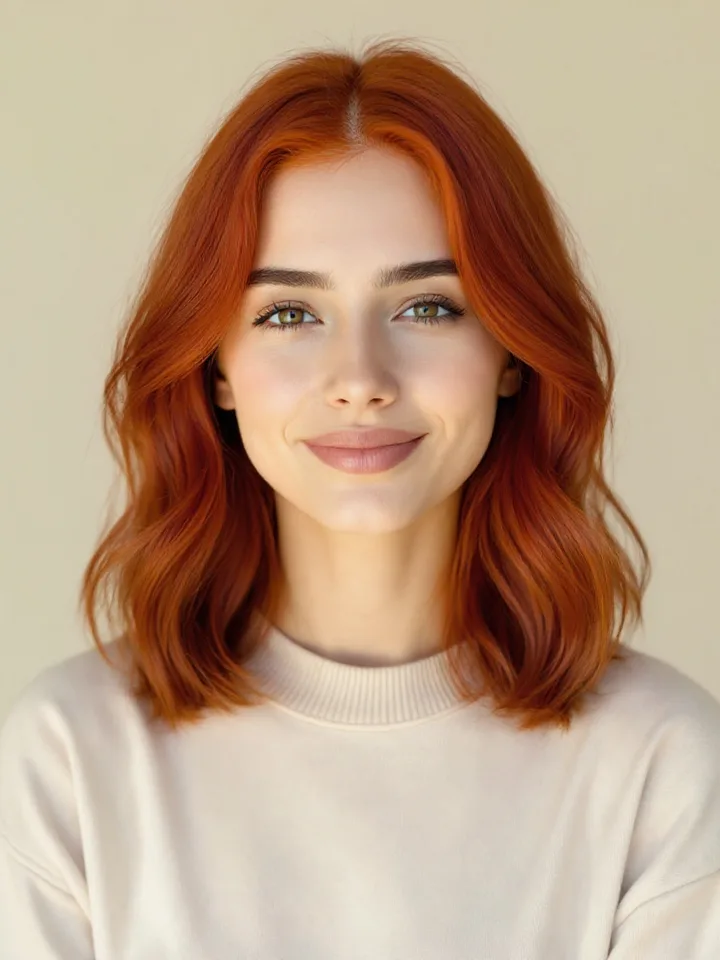
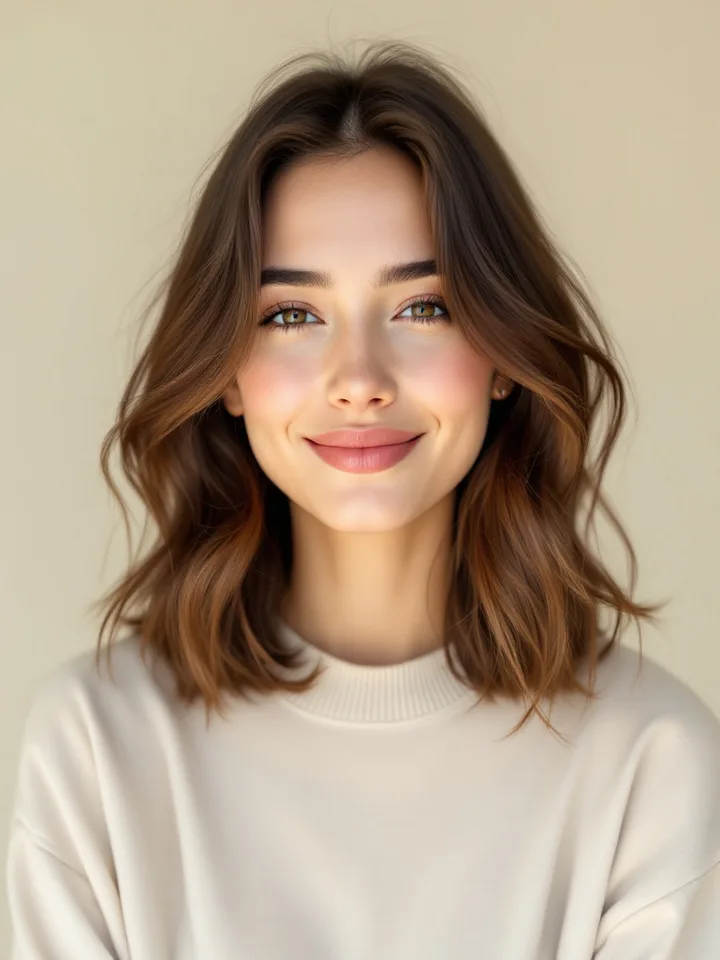
Drag to compare · Copper Red
AI-generated examples on a model. A preview helps compare colors; it cannot predict a dye formula or salon result.
Your turn. Start with a selfie.
Choose from 176 shades. Your first 3 previews are free. No account needed.
Clear, front-facing photos work best
JPG · PNG · WebP · 10 MB
Your photo is processed to create previews. It is not added to a public gallery.
Use a well-lit photo with your hair visible. After upload, pick a shade, compare with your original and save the looks you want to show your stylist.
How it works
1
Upload a selfie
A clear, front-facing photo works best.
2
Pick a hair color
Choose from 176 shades. Three previews are free; further studio access is optional.
3
Compare your result
Compare color directions on your photo before deciding what to discuss with your colorist.
Browse by shade family
Try On Blonde Hair Colors
Compare a cool ash or platinum direction with a warmer honey or beige. Look at the change in lightness as well as the tone; the preview does not predict how your current hair would need to be lightened.
Try On Brunette Hair Colors
Compare neutral, chestnut and ash browns at similar depths first. Then try a lighter or deeper shade to decide how much contrast you enjoy beside your face.
Try On Black Hair Colors
Try Jet Black beside Soft Black or Off Black. Small changes in depth and reflect can make a strong color feel different, especially beside your brows and eyes.
Try On Red Hair Colors
Compare bright copper, deeper cherry and muted red-brown directions. Save the shades you enjoy and discuss the color process and upkeep with your stylist.
Try On Auburn Hair Colors
Auburn combines brown depth with red warmth. Compare light, classic and deep auburn to separate the amount of red from the amount of contrast you want.
Try On Balayage Hair Colors
These dimensional previews explore a transition from roots to ends. They need a separate render, and timing varies. Use them to discuss placement and contrast with your colorist, not as a prediction of an exact salon result.
Try On Silver Hair Colors
Compare natural gray, soft silver and deeper charcoal directions. Keeping your own gray is also an option; a season label does not require you to cover it.
Try On Pastel Hair Colors
Compare pink, lilac, peach and other soft color directions. A digital pastel preview does not assess whether your current base can achieve the shade or how much upkeep it will need.
Try On Vivid Hair Colors
Try a saturated blue, pink or purple when you want a deliberate statement. Compare the same photo across shades and choose the effect you enjoy; you do not need permission from an undertone category.
Try On Rose Tones Hair Colors
Explore dusty rose, rose gold and deeper rose-brown. Compare the strength of the pink and the lightness of the base separately when building your shortlist.
What to expect
This tool works best with clear, front-facing photos and even lighting — it uses your actual features, so a blurry or heavily shadowed photo will produce a less accurate result.
Dimensional shades like balayage take a little longer to render than flat colors, since they're a hand-painted, multi-tone technique rather than a single color swap.
Results are a realistic preview, not a salon guarantee — think of it as a way to narrow down your options before you sit in the chair, not an exact color-match promise.
Frequently asked questions
Is the AI hair color changer free?
Yes. Every visitor gets 3 free hair color try-ons — pick any shade from our 176-color library and see it on your own photo, no cost, no signup required.
How does the AI hair color changer work?
Upload a clear, front-facing selfie. We prepare your photo once and isolate the hair. Choose from 176 shades: the paid studio switches solid colors in your browser after loading, while balayage uses a separate AI render.
Is my photo private and safe?
Your upload is processed by our servers and image-processing providers to prepare previews; it is not added to a public gallery. Paid solid-color changes run in your browser after loading. Keep your studio access link private: anyone with that link can reopen the purchased photo. See our Privacy Policy for how uploads are handled.
How realistic are the results?
Solid-color previews apply color through a hair mask while retaining light and shadow. Mask edges, fine strands and lighting can affect the preview. Older prepared photos and dimensional renders can contain AI changes. Use the results to compare color directions, not as a guarantee of a salon result.
What hair colors can I try?
Browse 176 shades across 10 families: blonde, brunette, black, red, auburn, balayage, silver, pastel, vivid, and rose tones. Free users can generate one shade at a time; the full Hair Color Studio unlocks all 176 in one session.
Why do some shades take longer than others?
Photo preparation and the first studio load require a wait. After that, paid solid-color previews run locally without a separate server request for each shade. Free try-ons and dimensional balayage previews are rendered on the server and take longer. Speed varies by device and connection.
Can I see a hair color before and after on my own photo?
Yes. Free previews include a before-and-after slider. In the paid studio, use Before and New shade to compare the same photo as you browse colors.
Does the AI hair color changer work on dark hair or curly hair?
You can compare shades on dark or curly hair. Clear lighting and visible hair help the mask follow the texture. A lighter preview is a visual comparison; it does not predict bleaching requirements, damage, dye coverage or the result of a particular formula.
Curious about your best colors, not just hair? Drape full color seasons the same way, or get a complete AI color analysis of your skin, hair, and eye undertones.
Free · Straight to your inbox
Email me my results
Get your results plus your color guide — free. Unsubscribe anytime.